7 Ways QuickBooks Desktop Hosting Improves Accounting Productivity
Learn how QuickBooks Desktop Hosting improves accounting productivity with secure remote access, real-time collaboration, faster performance, and scalability.
 apps4rent
Accounting teams are under constant pressure to close books faster, collaborate across locations, and keep financial data secure - all while working with software that was originally built for a single desktop. QuickBooks Desktop remains a favorite among accountants and bookkeepers for its depth of features, but its traditional on-premises setup can quietly slow teams down. File-sharing bottlenecks, version conflicts, and hardware limitations chip away at productivity every single day.
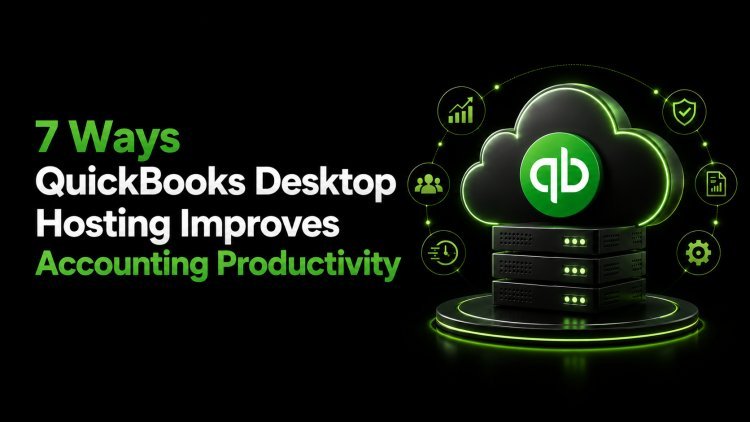
QuickBooks Desktop Hosting changes the equation. By moving your QuickBooks Desktop environment to a secure cloud server, hosting providers let you keep the familiar desktop interface and features you rely on while gaining the flexibility, speed, and reliability of the cloud. Below are seven concrete ways QuickBooks desktop hosting improves accounting productivity for businesses of every size.
1. Anytime, Anywhere Access
Traditional QuickBooks Desktop installations tie your accounting data to a single physical machine or local network. If you're not at that computer, you're not working. QuickBooks Desktop Hosting removes this constraint entirely by placing your QuickBooks environment on remote servers accessible over the internet.
Accountants, bookkeepers, and business owners can log in from a laptop at home, a tablet on a client site, or a phone during a business trip, and pick up exactly where they left off. This flexibility is especially valuable for firms managing multiple clients or teams spread across different offices or time zones. Work no longer waits for someone to be at a specific desk - it simply continues, wherever the user happens to be.
2. Real-Time Multi-User Collaboration
One of the most common frustrations with desktop-based QuickBooks is coordinating multi-user access. Without hosting, multiple users working on the same company file often run into network lag, file locking issues, or the need for complex VPN configurations just to get everyone connected to a shared server.
Hosted QuickBooks environments are purpose-built for concurrent, multi-user access. Every authorized team member - whether in-house staff or an outsourced bookkeeping partner — works from the same live company file in real time. There's no need to email files back and forth, merge conflicting versions, or wait for someone else to finish before you can start. This shared, synchronized environment removes friction from everyday collaborative tasks like reconciliations, payroll processing, and month-end closing.
3. Faster Performance, Even with Large Data Files
As a business grows, so does its QuickBooks company file. Large files with years of transaction history, extensive customer lists, and complex reports can slow local machines to a crawl, particularly on older hardware. Employees end up waiting on reports to generate or screens to refresh, and that lost time adds up quickly across a team.
QuickBooks Desktop Hosting runs on enterprise-grade servers with substantial processing power, memory, and fast storage - resources far beyond what most small business computers can offer. This translates into noticeably quicker load times, smoother report generation, and a more responsive experience overall, even as your data grows. Your team spends less time watching a spinning wheel and more time getting actual accounting work done.
4. Reduced IT Burden and Maintenance Downtime
Running QuickBooks Desktop in-house means someone has to manage servers, apply software updates, monitor backups, and troubleshoot technical issues when something breaks. For small and mid-sized businesses without a dedicated IT department, this often falls on already-stretched staff or requires costly outside consultants.
A reputable hosting provider takes this burden off your plate. Server maintenance, security patching, software updates, and infrastructure monitoring are handled by the hosting provider's technical team, often with guaranteed uptime service level agreements. This means fewer unexpected outages, less scrambling to fix technical problems, and more consistent access to your accounting system - all of which directly support day-to-day productivity.
5. Stronger Data Security and Automated Backups
Financial data is one of the most sensitive assets any business holds, and protecting it against loss, corruption, or unauthorized access is non-negotiable. Local QuickBooks installations depend heavily on individual businesses to implement their own backup routines, firewalls, and security protocols — steps that are frequently inconsistent or overlooked entirely.
QuickBooks Desktop Hosting providers typically operate out of secure, audited data centers featuring multi-layered protections such as firewalls, data encryption, intrusion detection, and multi-factor authentication. Just as important, automated daily backups mean your data is regularly and reliably preserved, so a hardware failure or accidental deletion doesn't turn into a business-threatening event. Knowing that financial data is protected lets accounting teams focus on their actual work instead of worrying about data loss.
6. Seamless Integration with Third-Party Applications
Modern accounting workflows rarely rely on QuickBooks alone. Payroll services, time-tracking tools, CRM platforms, inventory management systems, and document management solutions are often part of the daily routine. Getting all of these tools to work smoothly with a locally installed version of QuickBooks can be technically challenging.
Hosted QuickBooks environments are generally well-suited to supporting a broader ecosystem of add-ons and integrations, since the hosting provider can configure the server environment to run multiple compatible applications alongside QuickBooks itself. This reduces the manual, repetitive work of switching between disconnected systems and re-entering the same data multiple times, freeing up hours that would otherwise be spent on administrative busywork.
7. Scalability That Matches Business Growth
A business's accounting needs today may look very different a year or two from now. Adding new users, expanding into new markets, or increasing transaction volume can strain an on-premises QuickBooks setup that was sized for a smaller operation. Scaling up locally often means purchasing new hardware, licenses, and infrastructure - a slow and expensive process.
With QuickBooks Desktop Hosting, scaling is far more straightforward. Hosting plans can typically be adjusted to add more users, storage, or computing resources as needed, without the delays associated with procuring and configuring new physical equipment. This agility allows accounting teams to keep pace with business growth rather than being held back by outdated infrastructure.
Conclusion
QuickBooks Desktop Hosting offers a practical way to modernize a trusted accounting platform without abandoning the features and familiarity that make QuickBooks Desktop valuable in the first place. From remote access and real-time collaboration to stronger security and easier scalability, hosting addresses many of the pain points that quietly erode accounting productivity in traditional desktop setups.
For businesses looking to make this transition smoothly, working with an experienced hosting provider matters. Apps4Rent is a recognized QuickBooks Desktop Hosting provider, offering secure, reliable, and scalable hosting solutions backed by responsive technical support. Whether you're a small accounting firm or a growing enterprise, Apps4Rent's hosting infrastructure is designed to help your team work faster, collaborate better, and keep financial data protected around the clock.
Frequently Asked Questions
1. What is QuickBooks Desktop Hosting?
QuickBooks Desktop Hosting is a service that moves your QuickBooks Desktop software and company files to a remote cloud server managed by a third-party hosting provider. This allows users to access QuickBooks Desktop over the internet from any device, while keeping the same features and interface as the traditional desktop version.
2. Is QuickBooks Desktop Hosting secure?
Yes, when provided by a reputable hosting company, QuickBooks Desktop Hosting typically includes strong security measures such as data encryption, firewalls, multi-factor authentication, and regular automated backups. Providers like Apps4Rent operate from secure data centers designed to protect sensitive financial data.
3. Can multiple users access QuickBooks Desktop Hosting at the same time?
Yes. One of the main advantages of hosting is real-time multi-user access. Authorized team members can log into the same hosted company file simultaneously from different locations, making collaboration much smoother than with a traditional local network setup.
4. Does QuickBooks Desktop Hosting work with my existing QuickBooks license?
Hosting providers generally support various QuickBooks Desktop editions, including Pro, Premier, and Enterprise. It's best to confirm compatibility with your specific version and licensing arrangement directly with your hosting provider, such as Apps4Rent, before migrating.
5. Will hosting change how QuickBooks Desktop looks or works?
No. QuickBooks Desktop Hosting preserves the same interface, menus, and features you're already familiar with. The primary difference is that the software runs on a remote server instead of your local machine, so you access it through a remote connection rather than launching it directly from your desktop.