7 Rules Not to Follow About PC Gaming Monitors
When shopping for a PC gaming monitor, you come across many rules and guidelines that promise to deliver the best possible display experience.
 yamarisjohnson
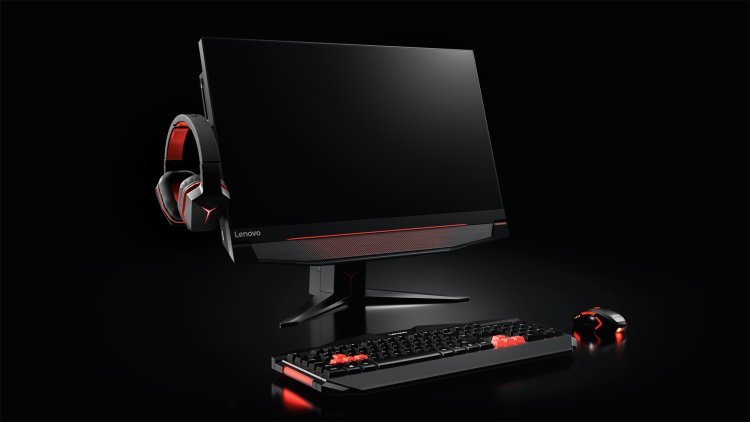
When shopping for a PC gaming monitor, you come across many rules and guidelines that promise to deliver the best possible display experience.
However, not all of these recommendations are equally practical or suited to your unique needs. Some advice may sound good in theory but may not be the best fit for your gaming setup or preferences.
Let us explore seven common pieces of advice for PC gamers that you should think twice about:
1. Don't Over Prioritize Refresh Rate Alone
The most common rule is to buy the highest refresh rate that you can afford. The refresh rate gives you smoothness in the gameplay, but it is not the only factor. A 144Hz monitor with color accuracy and good custom resolution can offer a good gaming experience.
Other aspects are equally important such as good-quality panels, color accuracy and a decent resolution. They can contribute a lot to your gaming experience. Focusing on the refresh rate alone results in a monitor with poor color reproduction, leading to a lack of vibrancy and saturation, and causing blacks to appear grayish.
2. Ignore Color Accuracy for Higher Resolution
Another piece of advice is to choose the highest resolution possible such as 4K to achieve the best graphics. If you're someone who values accurate colors over huge resolutions, it is best to stick with a 1080p or 1440p monitor that has good color accuracy.
High resolution without enough color accuracy can make games look washed-out or less vibrant than they should be, resulting in an unimpressive visual experience.
3. Avoid Ultrawide Monitors Based on Size Concerns
Some gamers run away from an ultrawide monitor because it is difficult to handle and doesn't have a game support ecosystem. In reality, ultrawide monitors offer a superior level of immersion, particularly in games that support the wider aspect ratio, placing them a class above standard monitors.
The extra space in the ultrawide monitor provides a broader field of view in games, especially useful for racing, simulation, and open-world genres. Another important point is the way ultrawide resolutions have shown their good side in modern games and software applications.
4. Stick Only to Branded Monitors for Reliability
Another rule that's often followed is to stick with only well-known brands, especially when buying a monitor. Undoubtedly, it is true that established brands do have a reputation to manage and come out with high-quality products. So does it mean that lesser-known brands should be banished?
Many new brands now offer high-quality monitors that can stand up to those from well-known, established companies. In some areas, these new monitors even outperform the more established ones. They provide great features and performance at competitive prices, making them a strong choice for anyone looking to upgrade their display.
Before you buy, look at reviews of and opinions about the exact model in which you are interested. Many times there is a not-so-well-known brand that makes the monitor you need perfectly and without the big-name price.
5. Choose the Largest Monitor Available for Gaming
Another common belief is that bigger is better. A large screen gives an encompassing experience, but it doesn't necessarily hold for everybody. The larger the screen, the larger the space. Sitting too close can also be displeasing or may prevent you from having a full view of the screen.
At the same time, larger monitors also place higher demands on other hardware. If your gaming setup isn’t powerful enough, you might get lower frame rates or have to lower your graphics settings. This can make a large display less effective and not as enjoyable.
6. Always Opt for Curved Monitors for Better Viewing
Curved monitors are the most sought-after for gaming. They offer a "more immersive experience" for customers along with reducing eye strain. The benefits of a curved monitor are up to personal preference and the games you are playing.
Before picking a curved monitor, either observe or look at online reviews with similar gamer preferences, taking into account their experience on the display. A flat monitor with a good display is much more immersive without losing any of the potential downsides of a curved display.
7. Focus Solely on Response Time for Competitive Gaming
Response time is the key feature of competitive gaming. Many people suggest choosing a monitor with a lower response time. While a fast response time is crucial for reducing image flickering and lag in fast-paced games, it’s important to consider other factors as well.
Other factors are input lag, the refresh rate, and the quality of the panel. A monitor may have ultra-low response times, but if it has bad color accuracy or a high input lag, it may not offer a viewing experience that's best for gaming.
A balanced consideration of the response time, speed, accuracy and visual qualities is important. A monitor with a few milliseconds of a slower response time can improve your gaming experience more than one that is just excellent regarding response time.
Read more: Why 144hz Gaming Monitor Is Ideal For Hardcore Gamers?
Conclusion
Finding an appropriate gaming monitor may not necessarily work just according to a rule of thumb. Guidelines can give you ideas on how to choose but what's important is what best suits your needs and what you want in a gaming setup.
After raising questions about some of the typical rules about PC gaming monitors, you're more likely to make the right decision that will improve your gaming experience.
Remember, what works for one gamer is not necessarily going to work for all. This means you have to evaluate all aspects of the monitor when seeking the best one.
Read also: Top 10 Best Software Courses in Demand in 2021-22